Booting VTON Diffusion Core...
0%
Pillar · Interactive Mirror

Try it on. In real time.

One selfie in, an entire wardrobe out. ZYNG's custom-trained diffusion models map any garment onto a person while preserving identity, proportions, fabric drape, and studio lighting — in under 2 seconds.

<2s Latency (p50)
0.3x Inference Cost
Custom In-House Model
ZYNG_VTON_v2.1 // STREAMING
Target Identity Locked
Source user selfie locked as the try-on target identity
ID_08239 · 128/128 KP
Generation Stream LOOK 01
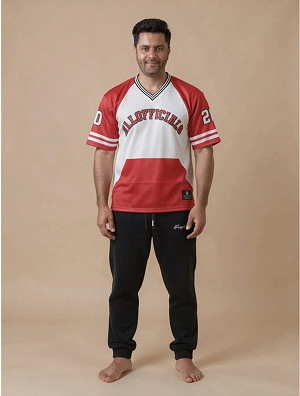
Streetwear virtual try-on output generated from the selfie
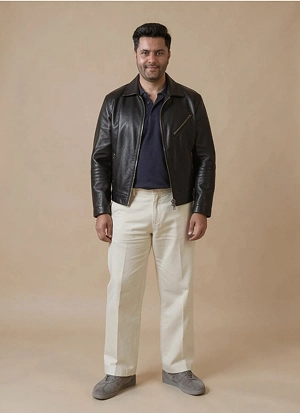
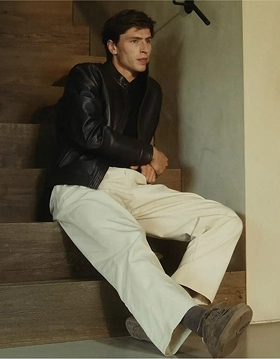
Layered outerwear virtual try-on output
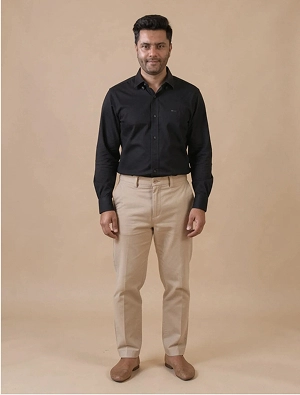
Smart casual oxford virtual try-on output
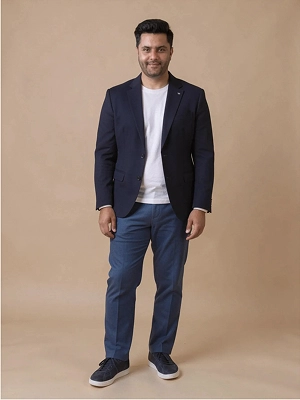
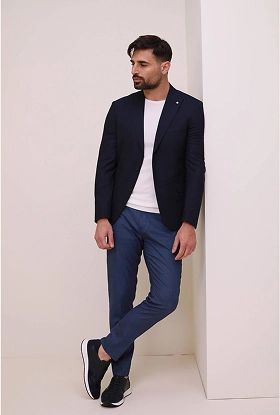
Tailored blazer virtual try-on output
Get Started · VTON

See real-time try-on on your own catalog.

Bring one selfie and watch ZYNG map your garments in under two seconds — identity, proportions, drape and studio lighting preserved.

Book a Demo 15-min walkthrough · no commitment
01 Interactive Try-On Sandbox
Pipeline Live

Synthesize a Look in One Click

Pick a target garment below. The engine maps it onto the same locked selfie and returns the synthesized try-on — no reshoot, no model booking.
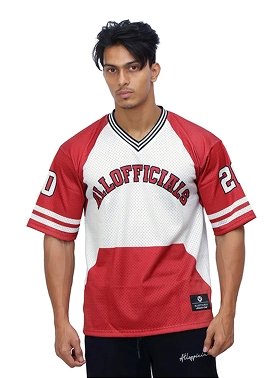
Streetwear hoodie garment reference
LOOK_01 · STREET
Layered leather outerwear garment reference
LOOK_02 · OUTER
Smart casual oxford shirt garment reference
LOOK_03 · OXFORD
Tailored blazer garment reference
LOOK_04 · TAILORED
Generation Pipeline
Selfie Input
Locked user selfie input
+
Target Garment
Selected target garment
VTON Latent Output
Synthesized virtual try-on output

Aligns oversized cotton hoodie drapes and shoulder seam placements to the user's proportions while preserving texture and base lighting parameters.

02 Batch Generation Stream
Streaming Outputs

Catalog-Scale Try-On Generation

The same locked identity fans out across your entire line. Queue a catalog and the stream returns photorealistic, channel-ready looks back-to-back — each one PDP-, app-, and campaign-ready.
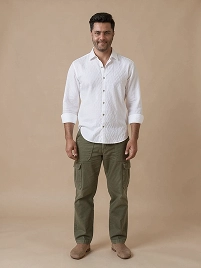
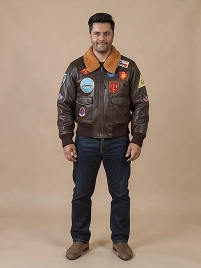
Batch try-on generation look 1
BATCH_01 1.8s
Batch try-on generation look 2
BATCH_02 1.9s
Batch try-on streetwear output
BATCH_04 1.8s
Batch try-on outerwear output
BATCH_05 1.9s
Batch try-on smart casual output
BATCH_06 1.7s
Batch try-on tailored blazer output
BATCH_07 1.8s

Virtual Try-On, Explained

What is the ZYNG OS Virtual Try-On (VTON) Engine?
It is a tool that allows you to digitally place any clothing item onto a photo of a person. The system automatically adjusts how the fabric drapes, folds, and casts shadows so it matches the person's pose and body proportions, creating realistic images without the need for a physical photoshoot.
How does ZYNG VTON preserve a person's face and body proportions?
Our system uses body-mapping technology to recognize the model's posture, shape, and facial features. It keeps their original appearance, body proportions, and the background lighting exactly the same while naturally fitting the new garment onto them.
How fast is the Virtual Try-On and what does it cost to run?
The images are generated in just a few seconds. Because we run our own built-in models rather than relying on external third-party services, the cost per image is kept relatively low, making it practical to process entire product catalogs at scale.
Is Virtual Try-On (VTON) output ready for PDP deployment?
Yes, the outputs are designed to look natural and high-quality. Brands use these generated images directly on their main product detail pages, mobile applications, and social media campaigns to showcase their apparel on different models.
How is try-on output quality validated for fidelity?
The system compares the final try-on photo back to the original clothing item. It automatically checks key details like logo placement, seam alignment, and texture patterns to make sure the digital representation is accurate before the image is approved for your website.
Ready when you are

Ship try-on imagery at production scale.

From a single API call to PDP-ready try-on across your entire range. Let's map the pipeline to your stack.

Book a Demo Talk to the team · contact@zyngai.com
Get in touch

Write to us at

contact@zyngai.com